





What Power BI can do
Power BI report delivery
One governed model, delivered where each audience works
We deliver Power BI reports and apps to each audience through the channel that suits it: the Power BI mobile app, Power BI Embedded in a customer portal, Microsoft Teams or email subscriptions, all from one governed model with one set of access rules.
Audience
Channel
 Microsoft TeamsChannel tabs and conversations
Semantic model

Every channel sits on the same semantic model and applies the same access rules.
Delivery channels
Each channel below draws on the same semantic model and applies the same access rules. For each, we set out the audience it serves best and how it is used in practice.
For leaders and managers away from a desk
Power BI mobile app
Reports open in the Power BI mobile app on iOS and Android, with the same data and access as on the desktop. We author a phone layout for each page that will be read on a phone, so that the key figures lead and the detail follows in a single column.
Best suited to
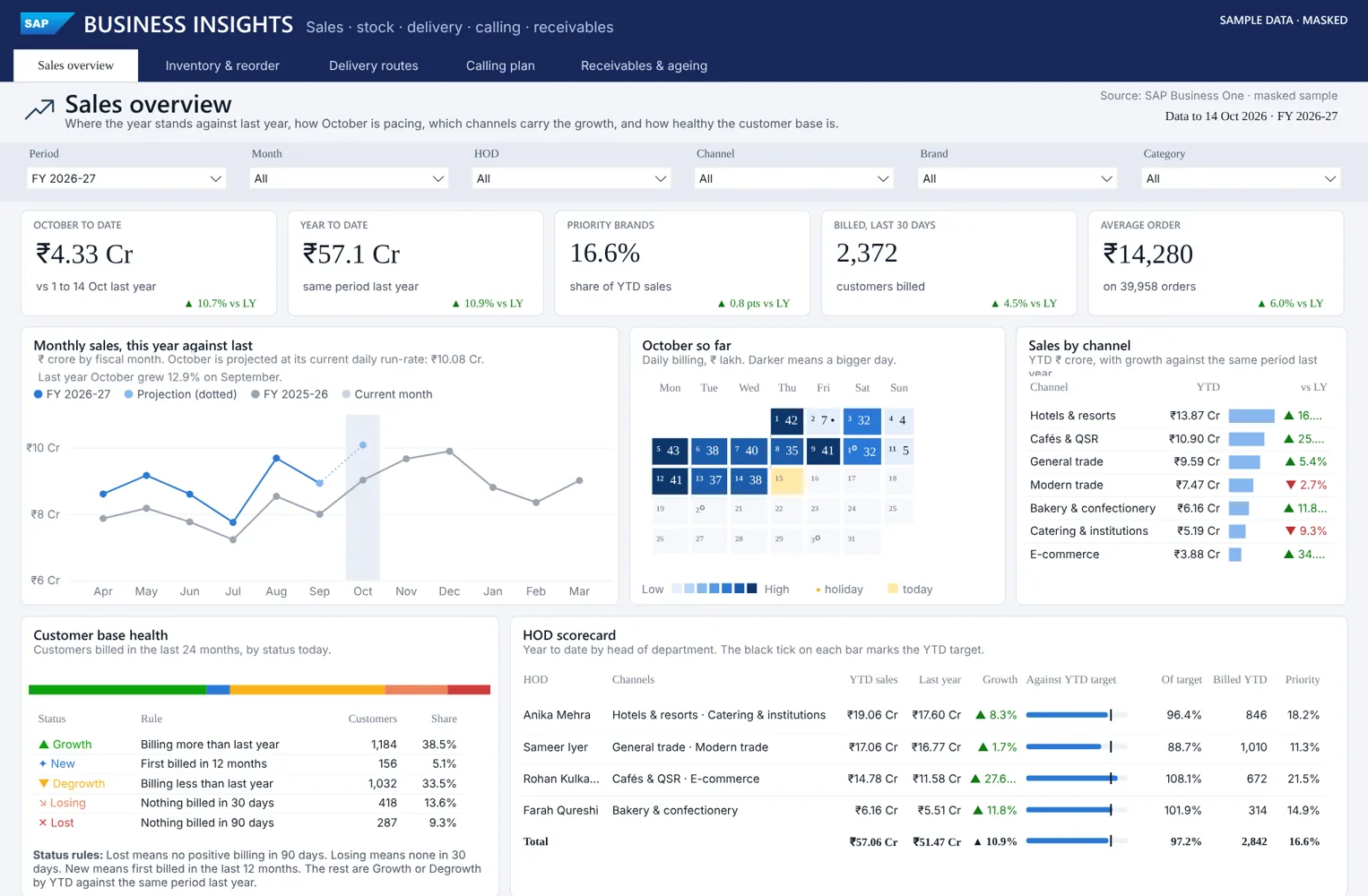
Regional and area managers, sales heads and senior leaders who review performance between visits and meetings. A regional sales head checks month-to-date sales by channel before a distributor meeting and opens the detail only where a figure has moved.
RequirementViewers need a Power BI Pro or Premium Per User licence, unless the report sits in an F64 or larger Fabric capacity.
Monthly sales, ₹ Cr
By channel, year to date
For distributors, franchisees and clients
Power BI Embedded in your customer portal
With embedded Power BI, reports sit in a web application your organisation already runs for customers or partners. Each user signs in with the portal’s own credentials, and row-level security restricts the report to that user’s account.
Best suited to
External parties who need their own figures on demand: distributors reviewing outstanding balances and order history, franchisees comparing outlet performance, or clients following service levels. It replaces statements and partner packs prepared by hand each month.
RequirementA Fabric or Power BI Embedded capacity. External viewers need no Power BI licence.
Account statement
Signed in as a distributor · showing this account only
For teams that review figures together
Power BI in Microsoft Teams
A report can be added as a tab in a Teams channel or shared in a conversation, where it opens with full interactivity. The discussion and the figures sit in the same place, and a question about a number is raised against the report itself.
Best suited to
Finance, sales and operations teams with a standing review, such as the month-end close, the weekly sales review or a daily operations meeting. We set the tab to open on the view the meeting uses.
RequirementViewers need a Power BI Pro or Premium Per User licence, unless the report sits in an F64 or larger Fabric capacity.
Regional sales head08:42
Position for this week’s review. Modern trade is still behind last year; the account detail is on page two.
Finance controller09:05
Agreed. Credit notes for two modern trade accounts post on the 20th; I will confirm the effect in the review.
For leaders who want the position at a set time
Power BI email subscriptions
Subscriptions send a snapshot of a report page by email on a schedule, with a link to the live report. A standard subscription shows the data as its owner sees it; where recipients hold different entitlements, we configure dynamic per recipient subscriptions, which filter each copy from a recipient list.
Best suited to
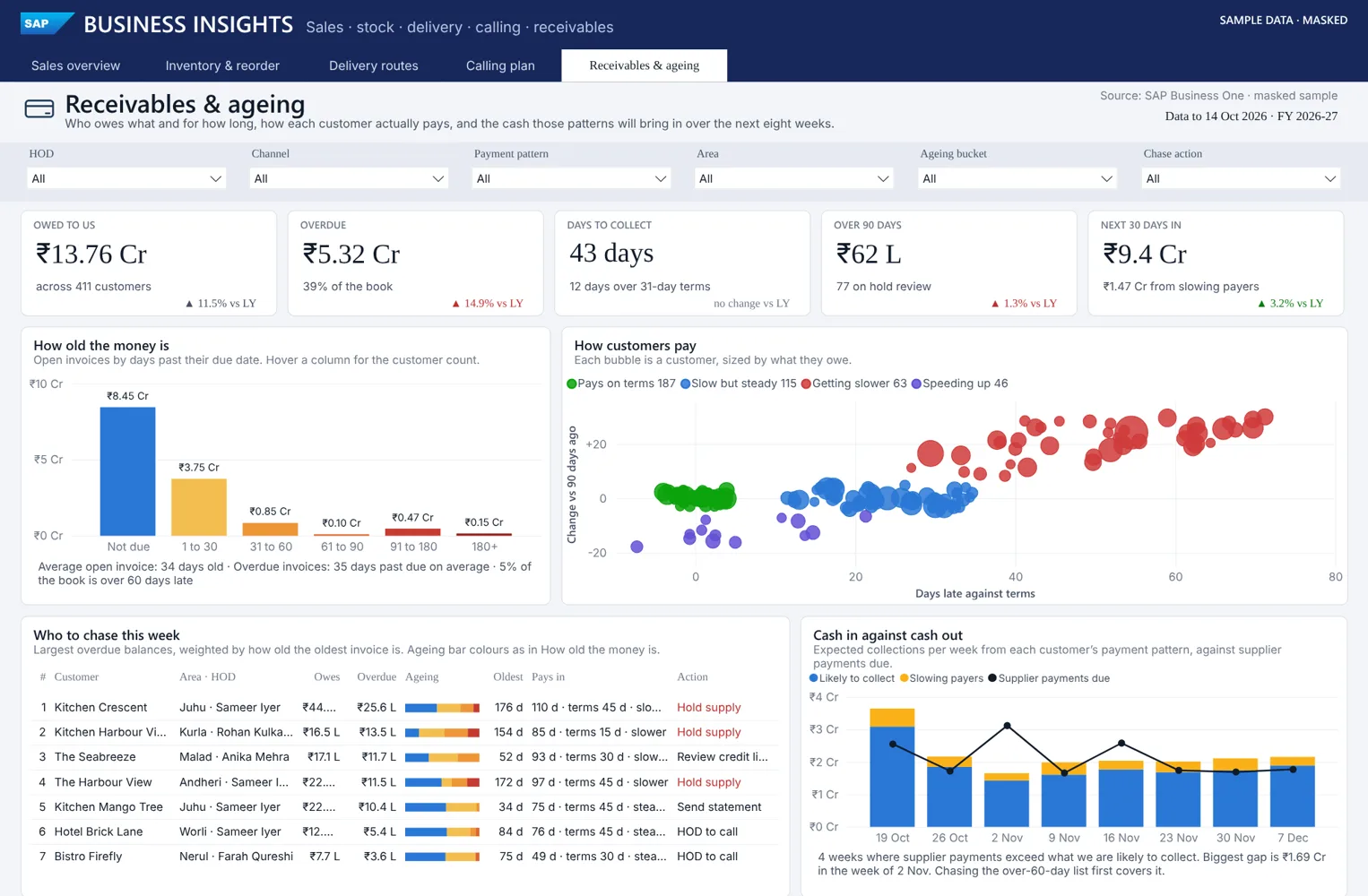
A managing director, board members and senior leaders who prefer the position in their inbox. The managing director receives the receivables summary each morning, while each regional head receives only that region’s figures.
RequirementDynamic per recipient subscriptions require the report to sit in a Power BI Premium or Fabric capacity.
Microsoft Power BITo: Managing Director · 08:00
Here is your scheduled snapshot of Receivables and ageing. Select the image to open the live report.
Go to reportManage subscription
Our approach to delivery
Our engagements proceed in four stages, from mapping each audience to reviewing how the reports are used after release.
Audience mapping
We establish who needs which figures, at what point in their working day and on which device.
Channel design
Each audience is assigned a channel, and we build the phone layouts, embedded views, Teams tabs and subscriptions it requires.
Access testing
Row-level security is tested in each channel, including embedded sessions and subscription copies, before release.
Adoption review
Usage metrics are reviewed after release, and layouts and channels are adjusted to how the reports are used.
Sources
Before you publish
A delivery plan for your reports, without charge
A free consultation with one of our consultants. We review who needs your figures and when, and set out the channels that will carry them.